Your Mac.
All within reach.
Your apps, widgets, music, and everyday file tools.
One dock that brings it all together.
Meet NiceDock A little more Mac.
About the film
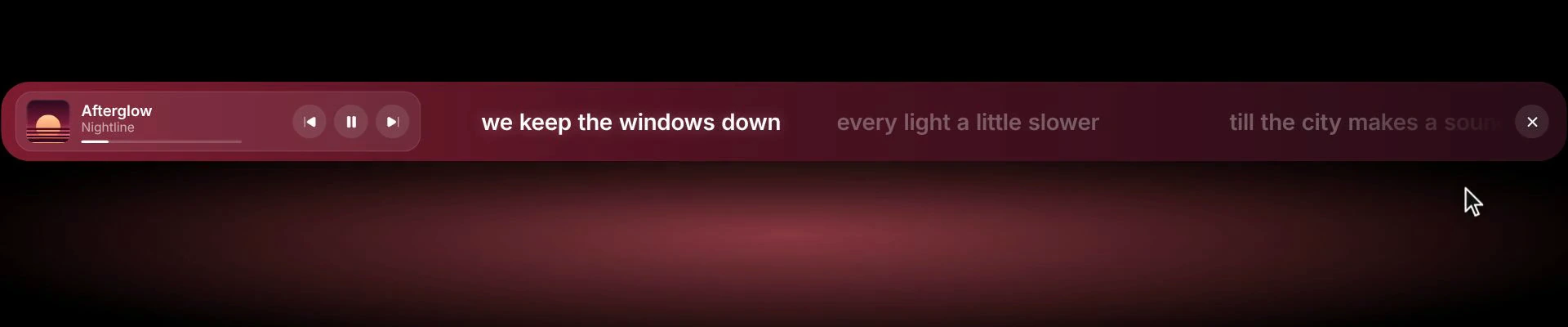
Thirty seconds with NiceDock: everyday widgets, Music Mode with album artwork and lyrics, file conversion, named layouts, Shift to return to your apps, and appearance settings. The product stills below are taken from this film.
One dock. Three ways to use it.
Right here.
In your rhythm.
Your apps when you need them. Widgets at a glance. A little more room for your music.
Watch NiceDock in action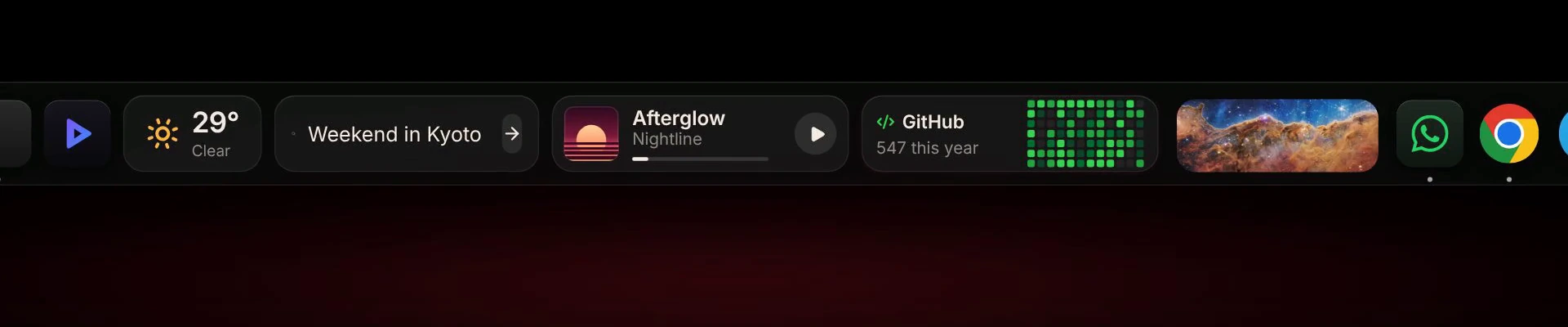
File tools, within reach
A small drop.
A useful shortcut.
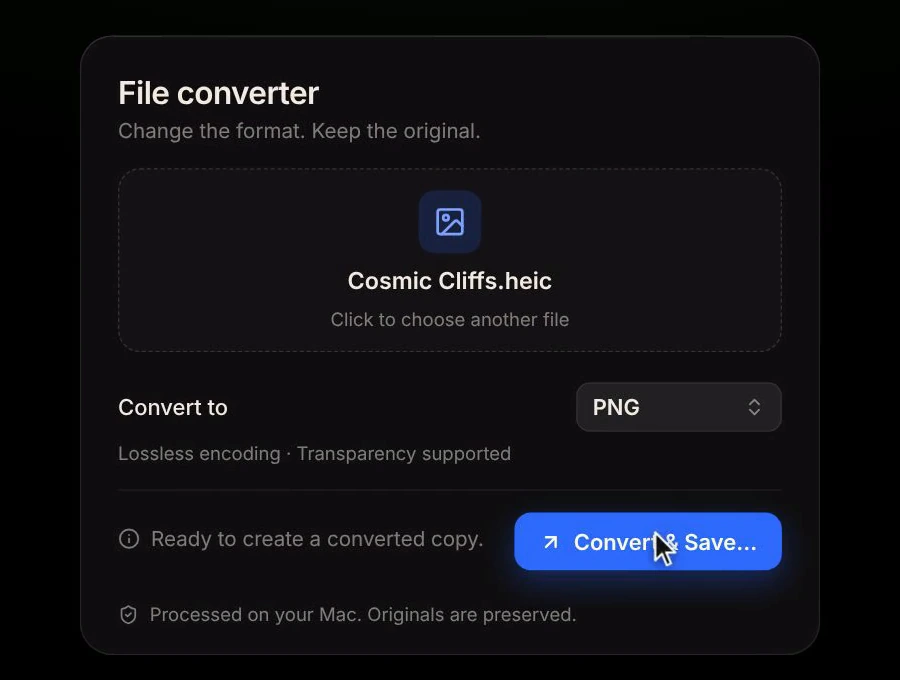
That JPG needs to be a PNG. Drop it onto NiceDock, choose a format, and save a new copy. Your original stays yours.
See it in the filmProcessed on your Mac. No upload needed.
- Change the format.
- JPG to PNG and more. The Mac app offers formats supported by your Mac’s encoders and saves a separate copy.
- Make a lighter copy.
- JPEG and HEIC export use lossy compression on your Mac. The final size depends on your image and format.
- Trim the extra space.
- The Mac app’s Trim clip widget removes leading and trailing whitespace from clipboard text.
Always within reach
One key.
Back to your apps.
Hold Shift for a quick look at your apps. Let go to return to widgets or music. Tap to keep your apps in view.
See the shortcutFeels like your Mac
Find your
comfort zone.
A little bigger. A little softer. A space between things that feels just right. Make a dock you’ll love coming back to.
Make it yours01
Your apps, your order.
Keep your daily favorites close. Rearrange them without losing your place.
02
A shape that feels right.
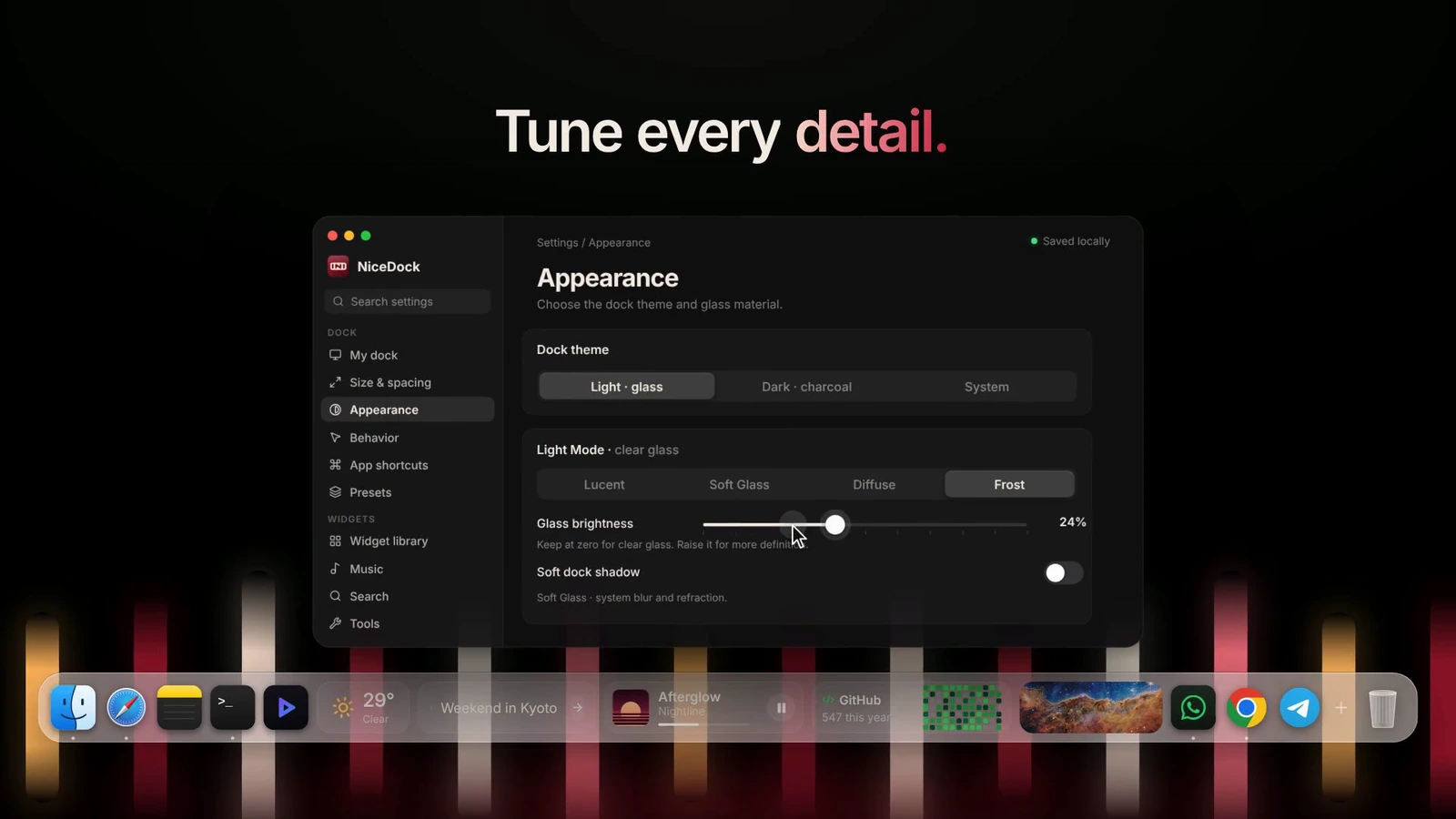
Tune the icon size, spacing, and corners in the Mac app.
03
A layout for every day.
Save named layouts. Move between Default, Widgets, and Music as your day changes.
How can I see NiceDock in action?
Watch the 30-second product film and explore the stills below it. To use NiceDock with your own apps and services, download the Mac app. A license key is required.
What do I need to run NiceDock?
A Mac running macOS Sonoma 14 or later, with Apple silicon or Intel. A license key is required to activate the app on one Mac. The installation guide covers the current preview and setup.
Can I make it my own?
Choose your apps and widgets, then adjust the size, spacing, and roundness. Save named layouts in the Mac app, and switch between Default, Widgets, and Music throughout your day.
What can the file tools do?
Drop a still image onto the dock to convert it, for example from JPG to PNG. In the Mac app, available formats depend on your Mac’s encoders; JPEG and HEIC exports use lossy compression. The separate Trim clip widget trims whitespace from clipboard text. Files are processed locally, and conversion saves a new copy.
Which permissions does it need?
Connect only the features you use. Calendar and Reminders request macOS access. Weather can use approximate location, and recording asks for microphone access. File conversion happens locally on your Mac.
Make room
for your day.
Your apps. Your music. Your NiceDock.
Download for Mac